 FitMentor
A workout and meal planner in one app
Most people use one app for training, another for food and a notes app for the shopping list. FitMentor puts the whole week in one place: what to lift, what to eat, and what to buy.
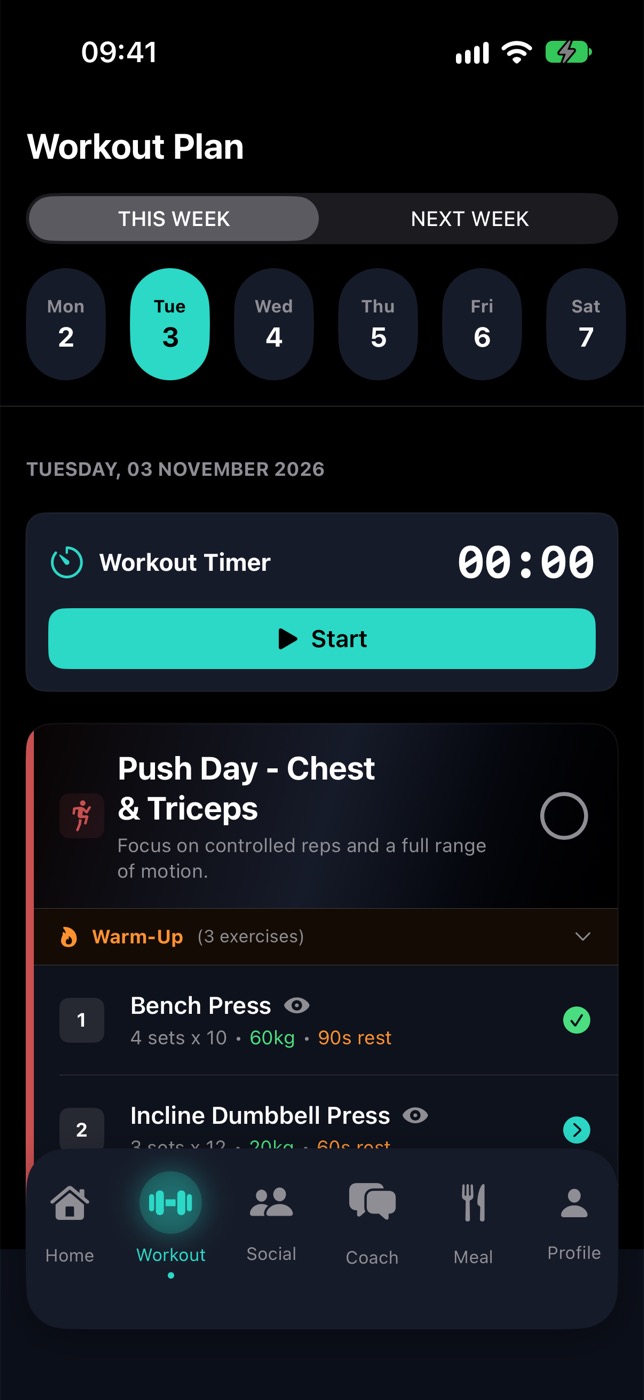
What gets planned
- Workouts: a weekly plan built from your goal, experience, equipment and the days you can train. Every exercise has sets, reps, rest time and, where it applies, the weight.
- Meals: breakfast, lunch, dinner and snacks built around your calorie and macro targets, with allergies respected.
- Recipes: ingredients, steps and macros for each meal, so "eat clean" turns into an actual dinner.
- Shopping list: every ingredient for the week, sorted into sections, ticked off as you shop.
How it adjusts
When you log a set, FitMentor uses it: hit your reps and the weight goes up next time; struggle and it stays the same; miss repeatedly and it deloads. If a meal doesn't suit you, swap it. If your week changes, ask the AI coach and it updates the plan.
Who it's for
People who train in a gym and want their food to match their training, without building spreadsheets or juggling three apps. It's iPhone only for now.
What it isn't
It isn't a doctor or a dietitian, and it doesn't promise a result. It gives you a plan and keeps adjusting it; turning up is still up to you.
Questions
Can one app really plan both workouts and meals?
Yes. FitMentor builds a weekly training plan and a meal plan from the same profile (goal, body stats, schedule and food preferences), so the two match.
Does it make a shopping list?
Yes. The ingredients from your meal plan are collected into a shopping list sorted into sections.
Is FitMentor free?
It's free to download. FitMentor Pro is free for 14 days, then $9.99/month, and you can cancel anytime in your Apple ID settings.
Get FitMentor on the App Store
iPhone (iOS 18.6 or later). Free to download; Pro is free for 14 days, then $9.99/month. Not medical advice. App screens show sample data.